Your seat:head-on, everything stays sharp and readable.
Privnoid notes
Newest entry first.
Entry 03New
Reading over a shoulder has a name
Watching someone's screen to see what is on it is called shoulder surfing. It happens close up, from the next seat or the next spot in a line, and that is how a PIN or a password gets seen in public.
A shared bench puts a stranger right at your elbow.
With the profile on, that elbow sees a dark screen.
In a queue, who stands next to your phone?
A banking app is the screen you least want anyone to see.
People wait close and look sideways.
From the side, the profile makes it dark.
At a cafe, who's sitting at the next table?
Small tables put your screen right in plain sight.
Head-on it stays clear for you as you scroll.
You read for ages, so they get a good look.
On a train, who's sharing your armrest?
Long rides mean long stretches side by side.
The profile can turn itself on in public places.
Work mail and photos open one after the other.
Entry 01Fixed
How the side view goes dark
Your screen sends light out in all directions, so anyone at an angle can read it. Your privacy viewing profile keeps the light that comes straight to your eyes and dims what goes toward the sides. You read as usual; the person next to you sees a dark screen.More detail
The profile holds two readings of your display: a side-angle dimming curve, which follows how the picture fades as the viewing angle moves off centre, and a direct-view clarity map, which shows where it remains sharp head-on.
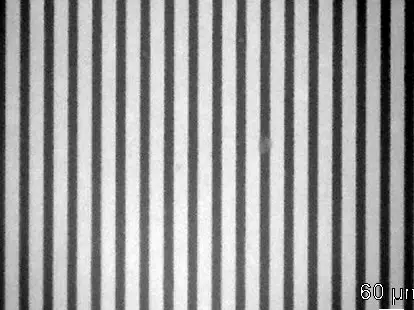
A physical privacy filter does the same job with tiny slats inside a film, set like window blinds: light that travels straight passes between them, light leaving at a steep angle hits them. That is why such filters narrow the viewing angle and stop a screen from being read from the side.
A privacy filter under a microscope: the dark stripes are the slats.